
In today’s digital world, sending your resume by email remains one of the most direct and effective ways to apply for a job. Despite the rise of online application systems and LinkedIn job submissions, many hiring managers still prefer receiving resumes through email.
However, there’s a right and a wrong way to do it. Sending an email that looks unprofessional or poorly written can cost you the job opportunity—even if your resume is impressive. This guide covers everything you need to know about how to send resume in email, including the best email samples, professional subject lines, and follow-up tips.
Why Email Is Still the Preferred Way to Send Resumes
Email offers a personal and direct touch that automated portals lack. When you send your resume via email, it lands straight in the recruiter’s inbox, allowing you to introduce yourself personally and make a strong first impression.
Moreover, recruiters can easily forward your email to relevant department heads, making it a convenient choice for hiring teams.
Common Mistakes When Sending a Resume by Email
Even small errors in your email can make you seem careless or unprofessional. Common mistakes include:
- Using an informal or personal email address (e.g., cooldude123@gmail.com).
- Writing a vague subject line like “Job Application.”
- Sending an email with no body text or introduction.
- Forgetting to attach the resume or attaching the wrong file.
- Not naming your file properly (e.g., ResumeFinalNew2.docx).
Avoiding these mistakes will immediately make you stand out as a polished candidate.
How to Send Resume in Email Professionally
Step-by-Step Process for Sending a Resume Email
Step 1: Choose the Right Email Address
Always send your job application from a professional email address that includes your name—something like john.doe@gmail.com is perfect.
Step 2: Write a Clear and Professional Subject Line
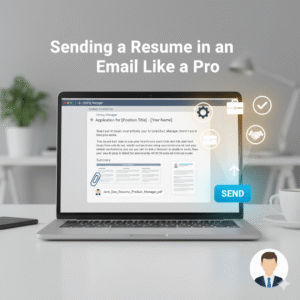
Your subject line should be short, relevant, and specific. Example:
“Application for Marketing Manager – John Doe”
Step 3: Craft a Short and Polite Email Message
Your message should briefly introduce you, mention the position you’re applying for, and express interest in the role. Avoid long paragraphs.
Step 4: Attach Your Resume and Cover Letter Properly
Always attach your resume and, if applicable, your cover letter as separate files. Label them clearly, such as John-Doe-Resume.pdf.
Step 5: Double-Check Before Hitting Send
Proofread your email, check attachments, and ensure the recruiter’s name and address are correct.
Best Subject Lines When Sending a Resume
Examples of Effective Resume Email Subject Lines
Here are some proven subject lines you can use:
- Application for Sales Associate – Jane Smith
- John Doe – Graphic Designer Position Application
- Referred by Emily Johnson – Product Analyst Role
- Resume Attached – Digital Marketing Specialist
Subject Line Mistakes to Avoid
Avoid using subject lines like:
- Resume
- Job Application
- Hello Sir/Madam
These look unprofessional and give no context about your intent.
Email Body Samples for Sending Your Resume
Sample 1: When Applying for a Job Directly
Subject: Application for Administrative Assistant – Sarah Lopez
Dear [Hiring Manager’s Name],
I am writing to express my interest in the Administrative Assistant position at [Company Name]. With over three years of experience in office management and customer coordination, I’m confident in my ability to contribute effectively to your team.
Please find my resume attached for your consideration. I would welcome the opportunity to discuss how my skills align with your company’s needs.
Best regards,
Sarah Lopez
[LinkedIn Profile] | [Phone Number]
Sample 2: When Referred by Someone
Subject: Referred by James Chen – Business Analyst Application
Dear [Hiring Manager’s Name],
I was referred by James Chen from your data analytics department regarding the Business Analyst opening. With a strong background in data interpretation and reporting, I believe my skills align with your requirements.
My resume is attached for your review. I’d appreciate an opportunity to discuss my candidacy further.
Sincerely,
Michael Tran
Sample 3: When Sending a Resume for Future Opportunities
Subject: Resume Submission – Future Opportunities with [Company Name]
Hello [Hiring Manager’s Name],
I am interested in being considered for any upcoming roles that fit my profile in [Industry/Field]. My resume is attached for your review.
Thank you for your time and consideration.
Warm regards,
Priya Mehta
Email Formatting Tips and Professional Etiquette
- Keep your email concise (under 200 words).
- Avoid slang, emojis, or overly casual language.
- Always proofread for grammar and spelling errors.
- Use a clean, professional signature with your full name, phone number, and LinkedIn URL.
What to Include in the Resume Attachment
Recommended File Formats and Naming Conventions
Use a clean format like PDF or DOCX. Name your file professionally:
“Firstname-Lastname-Position.pdf”
Why PDF Is the Best Format for Resume Submission
PDF ensures your formatting stays consistent across devices and operating systems. It also prevents accidental edits by the recipient.
Following Up After Sending Your Resume
When and How to Follow Up Professionally
Wait about 5–7 business days before sending a polite follow-up email. Keep it brief and professional.
Sample Follow-Up Email After Sending a Resume
Subject: Follow-Up on My Application for Content Writer – Mark Rivera
Dear [Hiring Manager’s Name],
I hope you’re doing well. I wanted to follow up on the Content Writer position I applied for last week. I remain very interested in contributing to your team at [Company Name].
Please let me know if any further information is needed.
Best regards,
Mark Rivera
FAQs About Sending Resumes via Email
Q1. What should I write in an email when sending a resume?
A brief message introducing yourself, mentioning the job title, and attaching your resume is ideal.
Q2. Should I include a cover letter in the email body or as an attachment?
Always attach it as a separate file unless the job posting specifies otherwise.
Q3. What’s the best subject line for sending a resume?
Use a specific subject line like “Application for [Position] – [Your Name].”
Q4. Can I send my resume without a job opening?
Yes, you can send a speculative email expressing interest in future roles.
Q5. Should I follow up after sending my resume?
Yes, send a short follow-up email after 5–7 days if you haven’t received a response.
Q6. Is it okay to use emojis or informal language in resume emails?
No. Keep your tone professional at all times.
Conclusion: Making a Strong Impression with Your Resume Email
Sending your resume by email might seem simple, but attention to detail makes a big difference. From writing the perfect subject line to formatting your message professionally, every step reflects your communication skills and professionalism. Follow these best practices, and your email won’t just get opened—it’ll get you noticed.