
You’ve spent hours perfecting your resume, only to hear nothing back. The frustrating truth for many job seekers is that a human might never even see your application. Why? Because an Applicant Tracking System (ATS) likely filtered you out.
An ATS is a software used by over 90% of large companies to manage job applications. It scans resumes for specific keywords, skills, and phrases relevant to the job description. If your resume doesn’t have enough of the right keywords, it won’t make it to a recruiter’s desk.
But don’t despair! Beating the ATS isn’t about tricking the system; it’s about understanding how it works and optimizing your resume accordingly. This guide will show you exactly how to identify and strategically incorporate the resume keywords that land interviews.
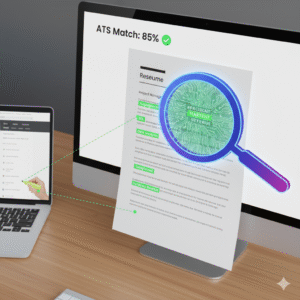
What Exactly Are Resume Keywords?
Resume keywords are the specific words and phrases that hiring managers and ATS use to identify qualified candidates. They typically fall into a few categories:
- Job-Specific Skills: (e.g., “SQL,” “Project Management,” “Content Marketing,” “UX Design”)
- Industry Buzzwords: (e.g., “Agile,” “Scrum,” “Big Data,” “Cloud Computing”)
- Action Verbs: (e.g., “Developed,” “Managed,” “Analyzed,” “Implemented”)
- Soft Skills: (e.g., “Communication,” “Leadership,” “Problem-Solving” – though these are better demonstrated than just listed)
- Qualifications: (e.g., “Bachelor’s Degree,” “PMP Certification”)
The key is that these keywords are almost always found directly in the job description itself.
Step 1: Analyze the Job Description Like a Detective
Your best source for relevant ATS keywords is the job posting you’re applying for. Don’t just skim it; dissect it!
Read the job description multiple times, highlighting or noting down every skill, tool, certification, and responsibility mentioned. Pay close attention to:
- Required Skills: These are non-negotiable. If they ask for “Salesforce,” ensure “Salesforce” is on your resume.
- Preferred Skills: While not strictly mandatory, including these significantly boosts your chances.
- Responsibilities: The tasks listed often contain industry-specific keywords and action verbs.
- Job Title Variations: Sometimes companies use slightly different titles for similar roles. If the ad says “Marketing Specialist” but your experience is as “Digital Marketer,” try to incorporate both.
Pro Tip: Copy and paste the job description into a word cloud generator (like WordArt.com or TagCrowd.com). The words that appear larger or more frequently are likely high-priority keywords.
Get Free Resume Templates MakeMyCv.ai
Step 2: Strategically Integrate Keywords into Your Resume
Once you have your keyword list, it’s time to weave them naturally into your resume. Avoid “keyword stuffing” (just listing keywords without context) – ATS can flag this, and human recruiters certainly will.
Here are the prime locations to place your resume keywords:
- Summary/Objective Statement: Incorporate 3-5 top keywords here to make an immediate impact.
- Example: “Highly analytical Marketing Analyst with 5+ years experience in data analysis, SEO, and campaign optimization…”
- Work Experience Section: This is where you’ll use most of your keywords within your accomplishment-driven bullet points (using the “Action-Result” formula we discussed previously!).
- Example: “Implemented new CRM system (Salesforce), streamlining sales workflows and improving data accuracy by 20%.”
- Skills Section: Dedicate a clear section for both “Technical Skills” and “Soft Skills.” List specific software, programming languages, tools, and methodologies.
- Example: Technical Skills: Python, SQL, Tableau, Google Analytics, Microsoft Excel, Salesforce, HubSpot.
- Education & Certifications: Include any relevant degrees, certifications (e.g., PMP, Google Ads Certification), or specialized training mentioned in the job description.
Step 3: Use Keyword Variations (Where Appropriate)
Sometimes, the ATS might be looking for variations of a skill. For example:
- “Project Management” vs. “Project Mgr”
- “JavaScript” vs. “JS”
- “Microsoft Office” vs. “MS Office”
If you have space, consider including both the full term and a common acronym, especially for highly technical skills. However, prioritize clarity and natural language.
ATS-Friendly Formatting Tips
Beyond keywords, a clean, simple format is crucial for ATS compatibility:
- Standard Fonts: Stick to professional, readable fonts like Arial, Calibri, or Times New Roman.
- Clear Headings: Use standard headings (e.g., “Work Experience,” “Skills,” “Education”) that the ATS can easily parse.
- Avoid Graphics & Text Boxes: While visually appealing, these can often confuse ATS software. Keep charts, images, and complex layouts to a minimum.
- Save as PDF (Usually): Unless specified otherwise, save your resume as a PDF. This preserves formatting across different systems. Always check the job ad for preferred file types!
Final Check: The “Copy & Paste” Test
Before submitting, try this: copy all the text from your final resume and paste it into a plain text editor (like Notepad). Does it still look coherent and readable? If so, the ATS will likely parse it correctly.
Beating the ATS isn’t magic; it’s a strategic approach to resume writing. By understanding how these systems work and diligently incorporating relevant resume keywords, you dramatically increase your chances of getting your resume into human hands. Start optimizing today and unlock more interview opportunities!